 add channels button to specify the carriageway width of the small road to be the diameter the the cul-de-sac, making a square.
This is a step-by-step guide to construct and grade a typical round cul-de-sac turning head on the end of a road.
The basic idea is to quickly make a small square at the end of the road, and then round off the corners to make a circle. This then gives flexibility for grading the cul-de-sac in various ways.

Here is a finished example:
First, construct a small straight centreline across the end of the road. The length of the centreline should match the diameter for the cul-de-sac. The construction line tools and snap tools may be useful to get the desired position and size.
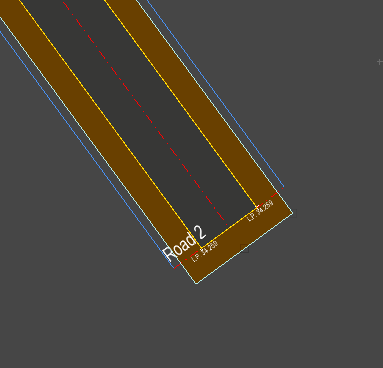
In this example, Road 2 has been constructed across the end where we want the cul-de-sac turning head.
Two guide lines (in blue) were placed using the parallel offset construction line tool, in order to snap the centreline ends to the appropriate positions.
Next, use the add channels button to specify the carriageway width of the small road to be the diameter the the cul-de-sac, making a square.

Note: When specifying the carriageway width, you can also specify the crossfalls to grade as desired.
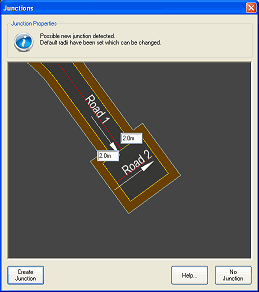
A junction will be detected. Enter a fairly small radius, like 2 metres, that will fit onto the square.
Now, use the Channel Tools, to make the round shape.
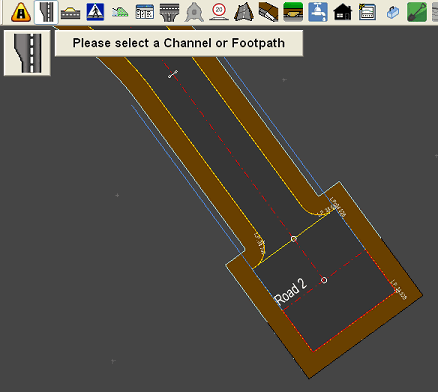
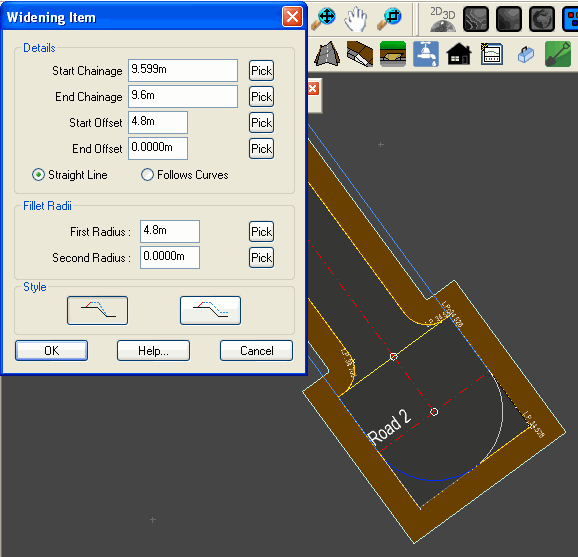
Select one of the channels, and add a widening at the start:
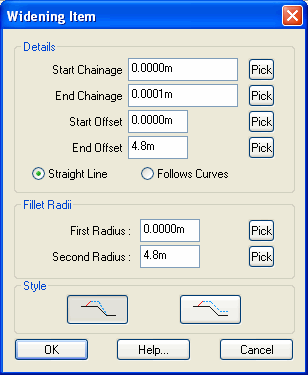
Set the start chainage to zero and the end chainage 1mm.
Set the start offset to zero and the end offset to the cul-de-sac radius (in this case, 4.8m)
Set the same radius in the second radius value.
Click OK.
Add a similar widening at the end, this time taking the offset back to zero, and with the first radius set:
Click the  button to finish and apply the channel shape.
Next, do the exact same thing with the channel on the other side.
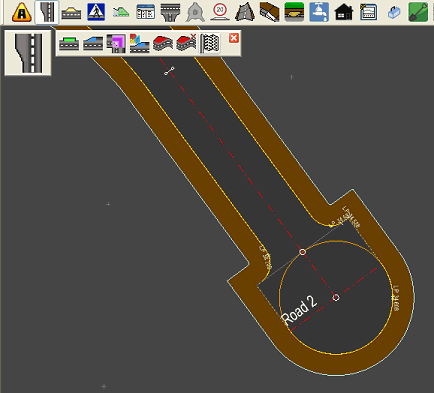
It will look like this:
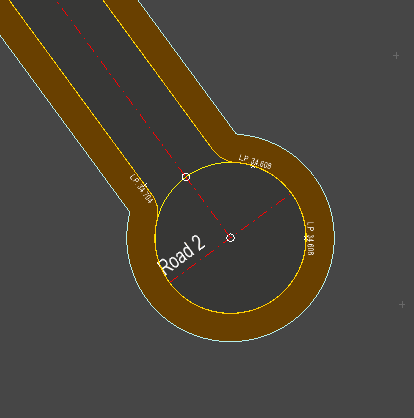
You edit the junction properties to set the curves going from the straight part of the channel onto the circle, as desired.
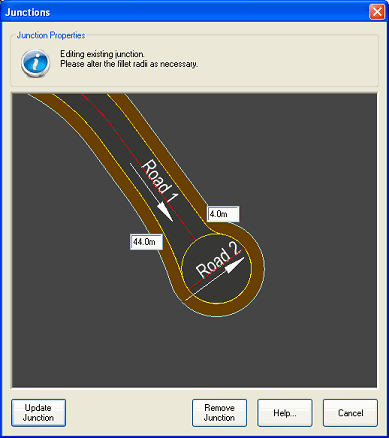
You can adjust the vertical levelling of the small road section to create the desired grading:
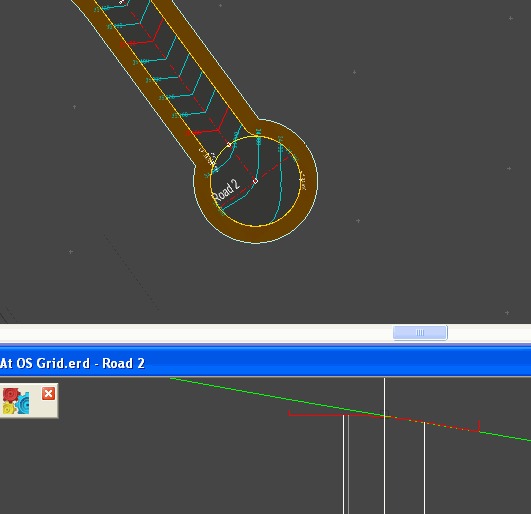
Note: The level at the end the terminated road is determined by the level of the centreline of the cul-de-sac.
Note: The grade across the cul-de-sac, from the end of the terminated road, is determined by the crossfall of the short cul-de-sac road, which you can set with the road profile tool.